
Once your account has been verified, you'll gain access to link game accounts to your PlaySafe ID and start playing integrated titles. Head over to the connect page to get started.

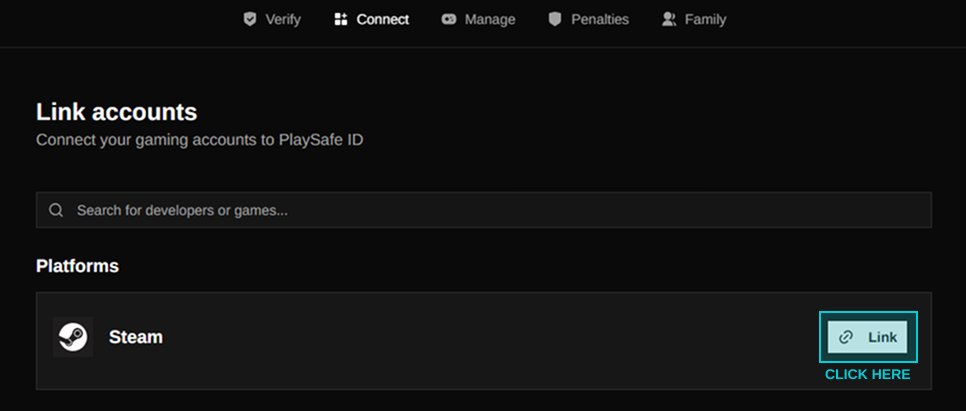
Here you'll see the ability to link your Steam account. Click the link box shown to begin linking your Steam account.
You'll now be prompted to continue to steam to sign in and complete the linking process.
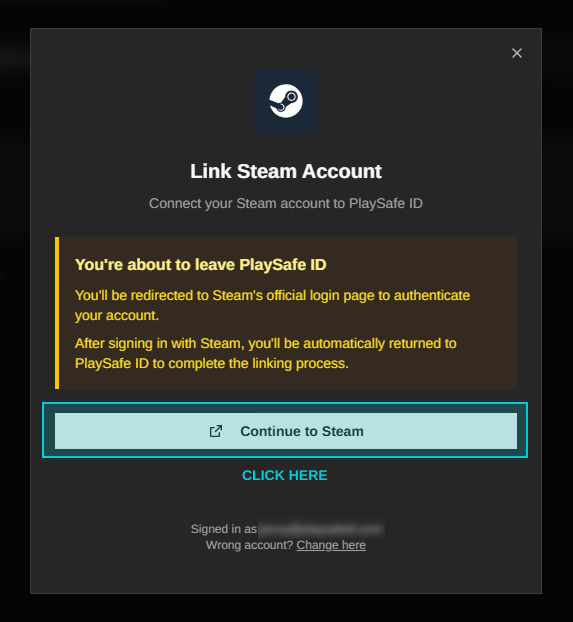
Once complete, your steam account will now be linked and you can head back to our connect page to start linking integrated titles.

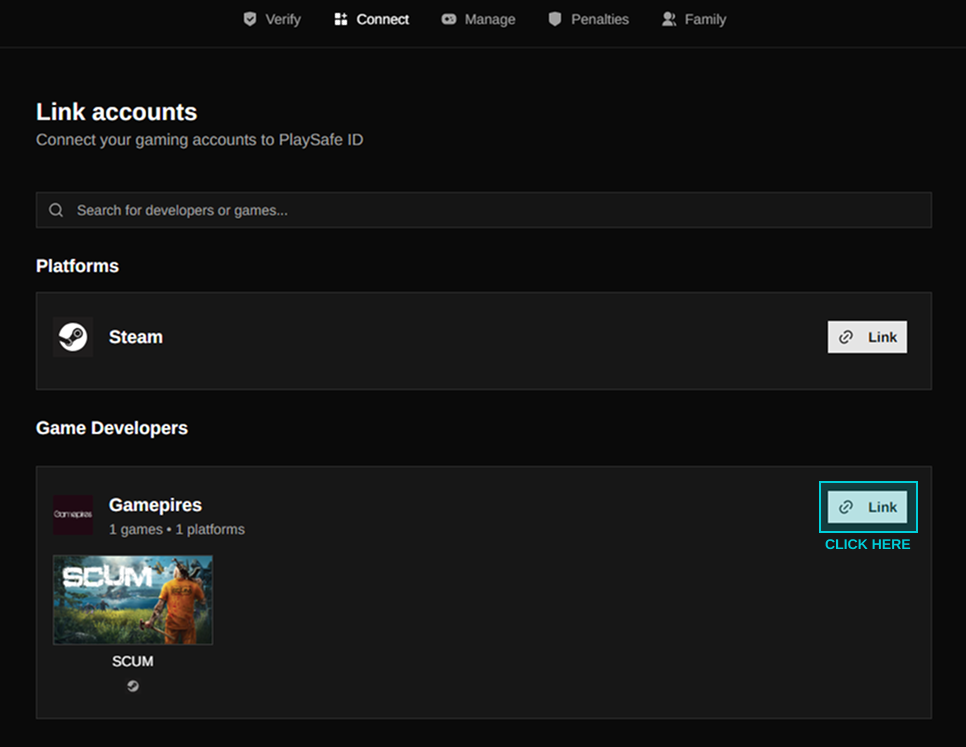
From here, simply click link on any game you want to connect to.
Go ahead and authorise the link with the developer.
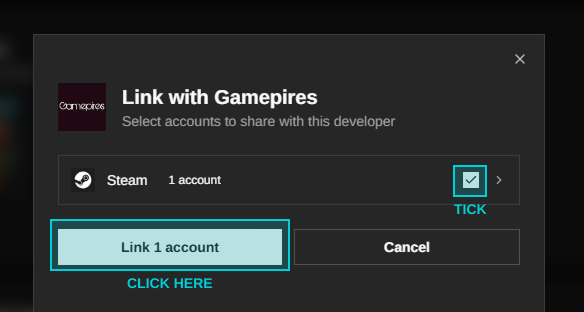
Once your game account has been successfully linked, you are ready to start playing. You can head over to the "Manage" page to view and manage your connected accounts. Any future integrated titles will require you to also link them.